What Is GitHub?
What is GitHub is one of the first questions new coders ask. The short answer: GitHub is a platform that stores your code in the cloud and makes teamwork easy. It keeps your projects in one place. It also saves a record of every change.
Think of it as a smart notebook. You can see who wrote each line and when. If you make a mistake, going back is simple. For more, visit the official GitHub site.
Are Git and GitHub the Same?
No, they are different. Git is a tool that tracks changes in files, and it runs on your own computer. GitHub is a website built on top of Git. It lets you share code, work together, and get feedback.
So Git is the engine, and GitHub is the garage that opens that engine to everyone. To learn Git itself, read our What is Git post. Using both together makes daily work calmer.
What Is a Repository?
A repository is the folder that holds all your project files and their history. Every project lives in its own repository. Once you open one, your code is safe.
You can look back any time. If you spot a bug, finding the day it slipped in takes minutes. That is why teams keep every task inside a repository.
Why Is GitHub So Loved?
The answer is simple: it makes working together easy. Even if ten people work on one project, no one breaks another's work. Each person moves on their own branch. Then the work merges in one place.
It is also the heart of the open source world. You can study a tool you like, report a bug, or send a fix. For beginners, the free plan is enough. You learn without spending money.
One more plus is peace of mind. Your code lives on the server. Even if your computer dies, your work stays. That comfort matters even for solo developers.
What Is a Branch?
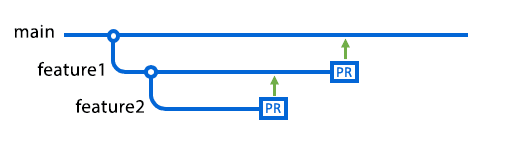
A branch is a safe copy of the project. The main branch is usually called "main". When you want to try a new feature, you open a new branch. That way you work without fear of breaking the main code.
When you finish, you merge the branch into the main code. If something goes wrong, you delete the branch and the main code stays clean. This small habit prevents big fights on a team.
Branch names should describe the work. For example, "login-form" or "bug-fix" are good names. That way the team sees what you work on at a glance.
What Is a Pull Request?
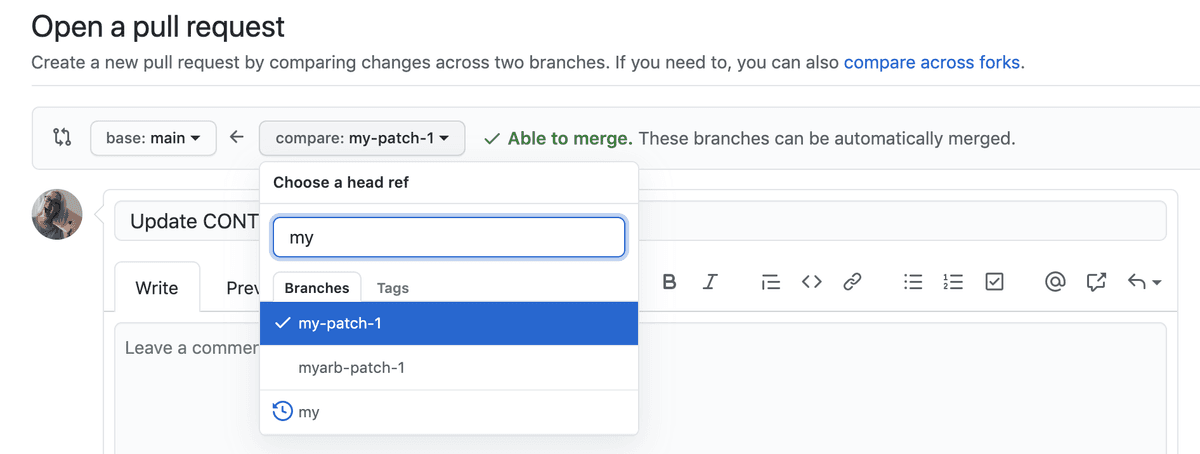
A pull request asks, "should we bring this change into the main code?" When you open one, your teammates read the code, leave comments, and approve it. This step raises code quality. It also catches bugs early.
The flow is short:
- You open a new branch.
- You write and save the code.
- You open a pull request.
- After review, the code merges into the main branch.
What Is GitHub Actions?
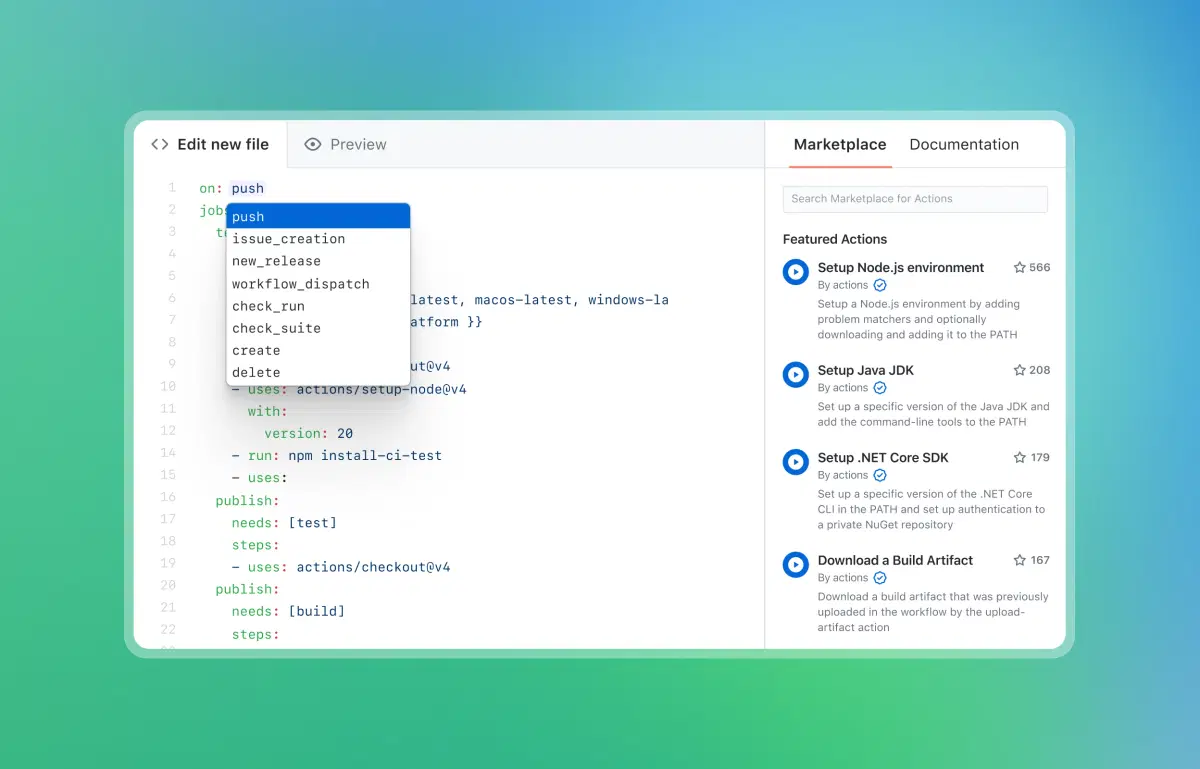
GitHub Actions is a tool that does repeated jobs for you. When you push code, it runs your tests, builds the project, and can even ship it live. You write the rules in a small YAML file.
For example, tests start on their own with each pull request. If a test fails, you get a warning. So broken code never reaches the main branch. In time this flow feels natural.
Key GitHub Terms
| Term | Short Meaning |
|---|---|
| Repository | The store of files and history |
| Commit | One saved change |
| Branch | A line of work apart from main |
| Pull Request | A merge and review request |
| Actions | Automatic tests and deploy |
How Do You Start?
- Open a free account.
- Create a new repository.
- Upload your files.
- Open a branch and make your first change.
- Merge the change with a pull request.
Now you know what is GitHub. The best move is to open a small repository and try it. After a few days, branch and pull request will feel very familiar.
When you get stuck, GitHub's own guides and large community help. You do not have to learn everything on day one. You get used to it slowly, by trying. The key is to start.